Las Comisiones PayPal — Calculadora Avanzada
Calcula comisiones, lotes, comparativas y más — todo en un solo lugar
Calculadora PayPal para Recibir
¿Cuánto debe enviarte alguien para que tú recibas X?
| Hay que Enviar | — |
| La Comisión es de | — |
| % del total | — |
Calculadora PayPal para Enviar
¿Cuánto recibirá el destinatario si envías X?
| La Comisión es de | — |
| No Reciben | — |
| % del total | — |
Calculadora por Lote
Calcula la comisión de múltiples transacciones a la vez
| Descripción | Importe | Comisión | Recibes |
|---|
Historial de Cálculos
The online payment systems are now very popular in the digital world. Millions of individuals worldwide use the services of various payment platforms to make and receive payments through the internet. PayPal is one of the popular platforms. PayPal provides easy solutions that enable users to send, receive money and transact online in a secure manner.
However, PayPal has one trick of significance to realize when using the service- transaction fees. PayPal charges a percentage and at other times a fixed amount on each payment. This implies that when you are given a cash of 100 dollars, a certain amount is given away as an fee rather than the 100 dollars being seen in your bank account.
This is why most of them resort to the PayPal Calculadora or PayPal Fee Calculator. It is a web application that is easy to calculate and display the amount of the charge per PayPal transaction. It informs the user of the amount he or she is going to get.
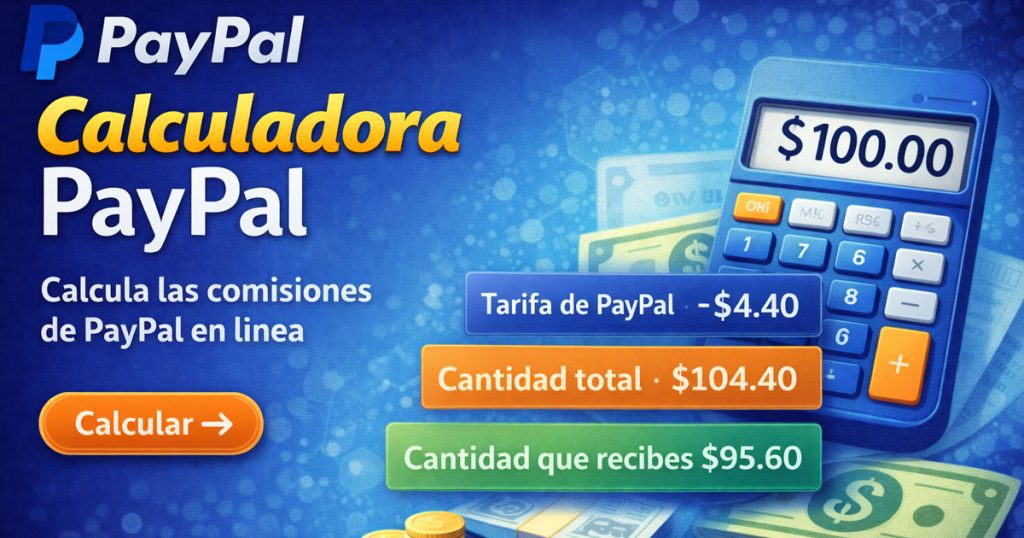
This tool particularly comes in handy with the freelance worker, the seller of digital products, the owner of an online shop, and the individual who has foreign customers. They have to consider the charges of PayPal when pricing their services or goods as well.
It is simple to use PayPal Calculadora and obtain the gross amount, PayPal fee and the net amount. This simplifies the financial planning process and guides you to make the correct decisions prior to making a transaction.
How It Works
PayPal Calculadora uses the standard fee system of PayPal.
In a PayPal transaction, there are normally two types of fees:
- Percentage fee (e.g. 2.9%)
- Fixed fee (e.g. $0.30)
The calculator then takes such fee on the amount entered by the user and shows the final result.
Basic Formula:
- Fee =(Transaction Amount × Percentage Fee) + Fixed Fee.
The calculator will then present the following:
- Total PayPal Fee
- Amount You Receive
- Total Amount Sent
In this manner, the user is able to know instantly the actual condition of his or her transaction.
Benefits
1. Accurate Fee Calculation
PayPal Calculadora makes it clear what the transaction fee would cost. This will prevent errors of calculation done manually.
2. Useful for Freelancers
It is also through the price aspect that freelancers can charge the right price, by applying the PayPal fee on their charges.
3. Online Business Planning
The owners of online stores and other digital sellers can easily determine their profit.
4. Time Saving
The inconvenience of manual formulae is done away with. all that you need to do is key in the amount and immediately receive the results.
5. International Understanding on Payments.
Different fees may be charged to international transactions. The calculator is also easy in such calculations.
Example
Suppose you have been paid by a client for a payment of 150 dollars using PayPal.
Typical PayPal fee (example):
- 2.9% + $0.30
Calculation:
- Transaction Amount = $150
- Percentage Fee = 150 × 2.9% = $4.35
- Fixed Fee = $0.30
- Total Fee = $4.65
Net Amount Received = $145.35
Based on this example, it can be seen that PayPal will deduct certain fees and then send the rest.
Step-by-Step Guide
PayPal Calculator is very easy to use.
Step 1
To begin with, go to PayPal Fee Calculator and open the site.
Step 2
Enter the payment amount. For example, $100 or $200.
Step 3
Select the transaction type:
- Domestic Payment
- International Payment
Step 4
Click Calculate or Compute button.
Step 5
The calculator will indicate at once:
- PayPal Fee
- Net Amount Received
- Total Amount Charged
And then the whole computation in a couple of seconds.
The reason why PayPal Calculadora is significant.
Nowadays, a big number of individuals makes money because they did things such as freelancing, digital marketing, online selling. PayPal is used by many clients to make payments.
In case you charge without taking into account PayPal expenses, you can earn less. It is due to this reason that it is very important to calculate the fee prior to the transaction.
You go with PayPal Calculadora, you know how much to charge the client. This improves the financial planning process and avoids unforeseen losses.
Conclusion
PayPal Calculadora is a basic and yet very handy item. It calculates the expenses associated with PayPal transactions at once as well as gives a clear information to the user.
Freelancers, internet sellers, internet creators, and anyone who transacts with an international entity will find this tool highly helpful.
In case you frequently use PayPal, PayPal Calculadora will help you realize your income, fees, and profits better.
It will assist you in making more financial decisions and simplify the management of online payment.
Frequently Asked Questions (FAQ)
1. What is a PayPal Calculadora?
A PayPal Calculadora is an online tool that calculates PayPal transaction fees and shows how much money you will receive after the fee deduction.
2. Is the PayPal fee calculator accurate?
Yes, it provides a close estimate based on PayPal’s standard fee structure, though exact fees may vary depending on region and transaction type.
3. Who should use a PayPal calculator?
Freelancers, online sellers, digital product creators, and anyone who receives payments through PayPal can benefit from using this calculator.
4. Can it calculate international PayPal fees?
Yes, many PayPal calculators allow you to choose domestic or international transactions to estimate the correct fee.
5. Is a PayPal fee calculator free to use?
Most PayPal calculators available online are completely free and can be used instantly without registration.
