4K Video Converter
Convert and re-encode videos to 4K, 1080p, 720p and more — directly in your browser. Choose format, resolution, frame rate, and quality.
In the contemporary digital age, better content in video has been given greater value than ever before. No matter which side of the content creator, YouTuber, filmmaker, or just a person who likes to watch ultra-clear videos, the new standard of video quality is 4K resolution. The 4K Resolution Video Converter is one of the tools that can be used to help users to change videos into 4K or to convert the ones that are already in 4K to any other format without compromising the quality of the video.
The resolution of 3840 x 2160 pixels commonly denotes the size of the video in the 4K resolution; 4 times the number of the pixels in the Full HD (1080p). This translates to images that are sharper, details that are clear and a viewing experience that is a lot more immersive.
But 4K videos are not supported in all devices, platforms and editing tools in all formats. It is at that point that a 4K video converter will be of the utmost assistance.
A 4K Resolution Video Converter enables one to transform the video format, to enlarge or reduce the resolution, to compress file sizes and optimize videos to fit other devices.
To say the least, you might need to do a 4K out of a normal HD video, or a large 4K file to a smaller one so you could easily post or share it online.
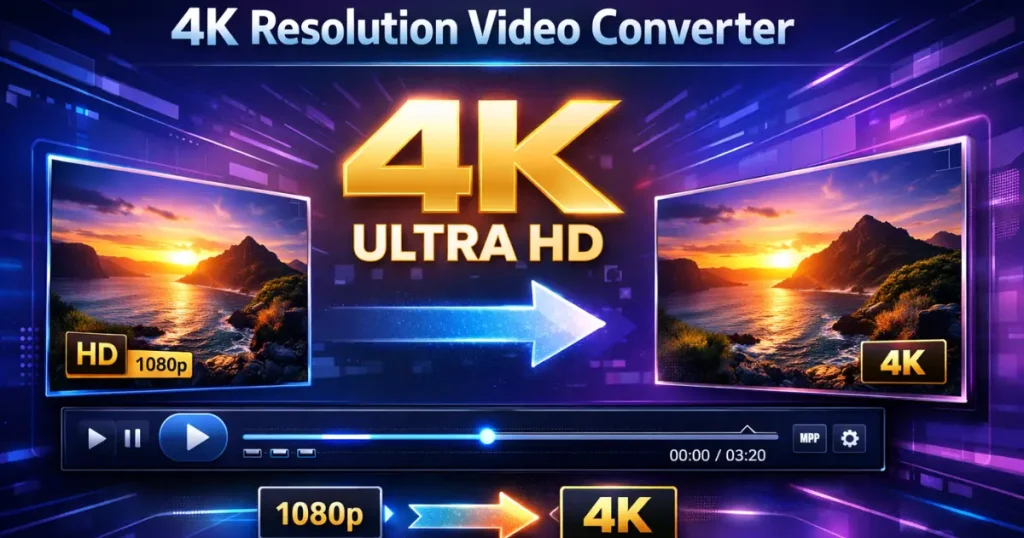
These converters find extensive application in video editing, social media content generation, stream optimization as well as compatibility with devices. The majority of the modern converters have various formats, including MP4, MOV, AVI, MKV, and others.
Simply put a 4K Resolution Video Converter assists in making sure that your videos are in their best form and that they are compatible with various platforms and devices.
The functioning of a 4K Resolution Video Converter.
A 4K video converter is a processing/re-encoding video file converter. Video file is taken into the tool, where it is analyzed and translated to a preferred resolution or type of file.
The basic process includes:
- Video Upload – The video file is uploaded by the user or chosen.
- Resolution Selection – Select the resolution desired like 4K.
- Format Selection – Choose the output style such as MP4 or MOV.
- Encoding Process – The converter reroutes the video by the use of advanced codecs.
- Download Output – The 4K video is now ready to be downloaded.
The quality of videos and file size are also controlled by many converters enabling users to change bitrate, frame rate and compression settings.
Advantages of a 4K Resolution Video Converter.
A 4K video converter will have a number of benefits:
1. Improved Video Quality
Standard videos can be changed into high resolution so that they can be viewed clearly.
2. Device Compatibility
Various formats are supported by various devices. Videos can be converted to be played on smartphones, TVs, tablets, or computers with the help of converters.
3. Smaller File Sizes
Big 4K videos can be squeezed into not that bad quality.
4. Flexible Format Support
The most popular converters carry the MP4, AVI, MKV, MOV, and WMV formats.
5. Better Content Creation
Video creators are able to make videos that are optimum to streaming applications or social media.
Example
Let’s say that you shot a video on your smart phone in the 1080p format, but you wish to post a copy of the file in a better format to a video site.
Video Converter: 4K Resolution Video Converter:
- Input Video: 1920 × 1080 resolution
- Selected Output: 3840 × 2160 (4K)
- Format: MP4
The tool works on the video and creates the 4K version with an enhanced clarity and compatibility of the playback.
The other instance may be to reduce a huge 4K MOV file into MP4 to facilitate easy uploading or sharing.
How to Use a 4K Resolution Video Converter.
Follow these simple steps:
Step 1: Upload Your Video
Open converter and transfer the video of your device.
Step 2: Select Resolution of the outputs.
Choose 4K (3840 by 2160) when you desire 4K quality of the video.
Step 3: Select Video Format
Select the format wanted like MP4, AVI, MOV and MKV.
step 4: involves changing the settings (Optional).
There are tools that can be adjusted like:
- Bitrate
- Frame rate
- Compression level
- Codec type
Step 5: Start Conversion
The Convert button is the first step to start processing.
Step 6: Download the Video
After the conversion has been done, download the new 4k video file.
Conclusion
A 4K Resolution Video Converter is a strong and effective device that should be available to any person working with videos. It assists in enhancing quality of video, converting of formats and optimizing files across devices and platforms. It is fast and simple to have the right converter to upgrade your video resolution, compress files which are large, or provide compatibility across a variety of devices.
Users are able to convert regular videos into a high-quality content of 4K with only a few steps that appear to be sharp, professional and fit to modern display. With the ever-increasing popularity of the 4K technology, these converters will be necessary devices not only to video creators but also to ordinary users.
Frequently Asked Questions (FAQ)
1. What is a 4K Resolution Video Converter?
A 4K Resolution Video Converter is a tool that allows users to convert videos into 4K resolution or change the format of existing 4K videos. It helps improve compatibility with different devices and platforms while maintaining high video quality.
2. What is the resolution of 4K video?
4K video usually has a resolution of 3840 × 2160 pixels. This provides four times more detail compared to Full HD (1920 × 1080), resulting in sharper and clearer images.
3. Can I convert HD videos to 4K?
Yes, many video converters allow you to upscale HD videos to 4K resolution. However, the final quality depends on the original video quality because upscaling cannot create new details that were not present in the source video.
4. Which formats support 4K video?
Common video formats that support 4K resolution include MP4, MKV, MOV, and AVI. These formats are widely compatible with modern devices and video players.
5. Is converting to 4K always necessary?
No, converting to 4K is not always required. It is useful when you want better visual quality or when you plan to watch the video on a 4K display or upload it to platforms that support ultra-high-definition videos.

